The Decision Engine for Retail.
Petanque brings field capture, operations and insight into one layer. It shows you what happened across your accounts, tells you what your team should do next, and measures what the action was worth.
Retail data is everywhere. Decisions shouldn't be.
The field is in one place, stock in another, sales in a third. A rep's notebook, a distributor's spreadsheet, finance's ledger and the dashboard all describe the same week differently. Reconciling them becomes a job of its own, and by the time it is done the week has gone.
Reading a report is not the same as making a decision. Most tools show you what happened and stop there. The questions that matter are what to do next, who is going to do it, and whether it worked. Petanque keeps those three in one flow.
Retail Action Intelligence
and management
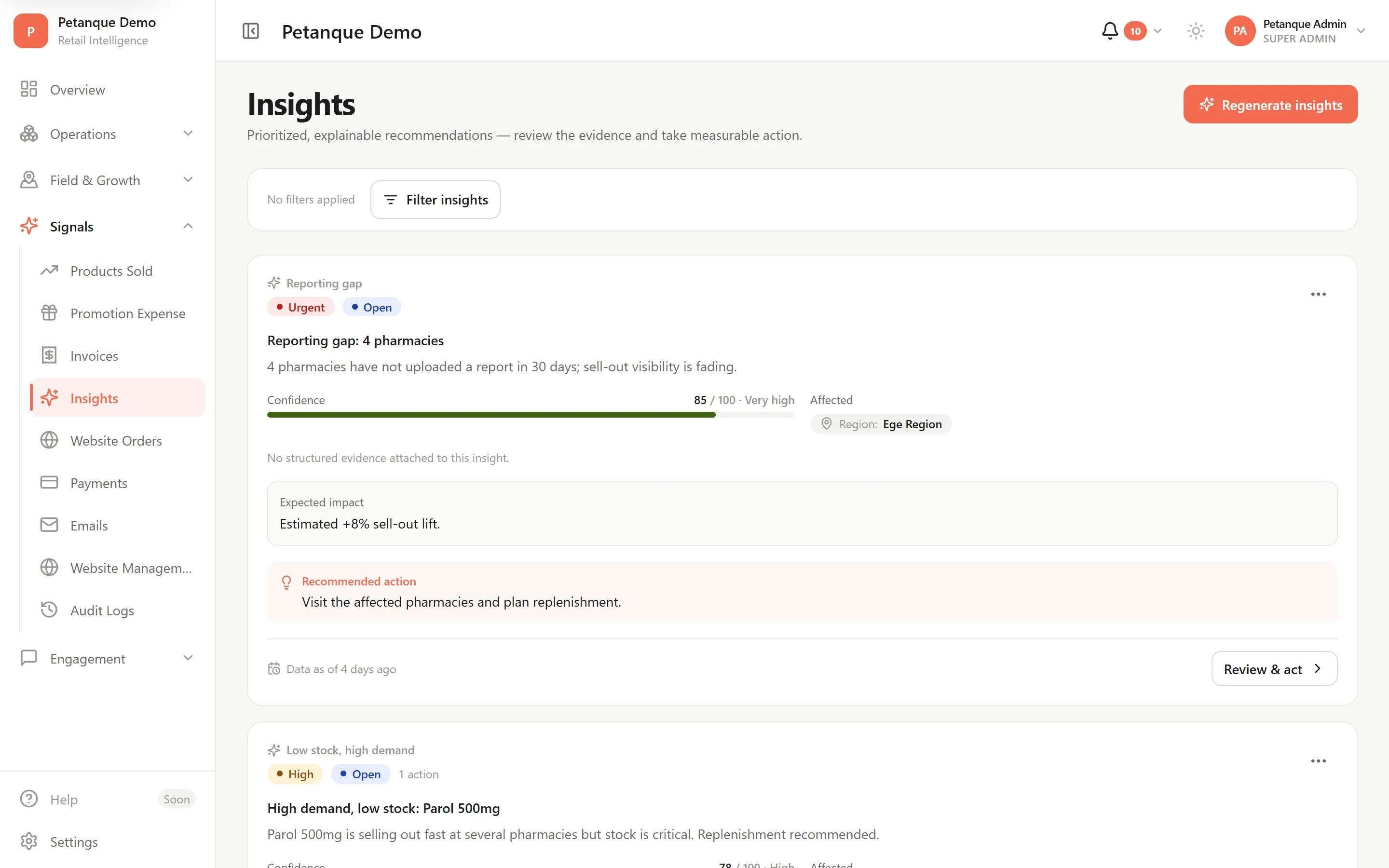
Insights and actions
Stock, sell-out and visit data are read together. Whatever stands out is listed with its reasoning, assigned to an owner, and the action taken is measured against the period before it.
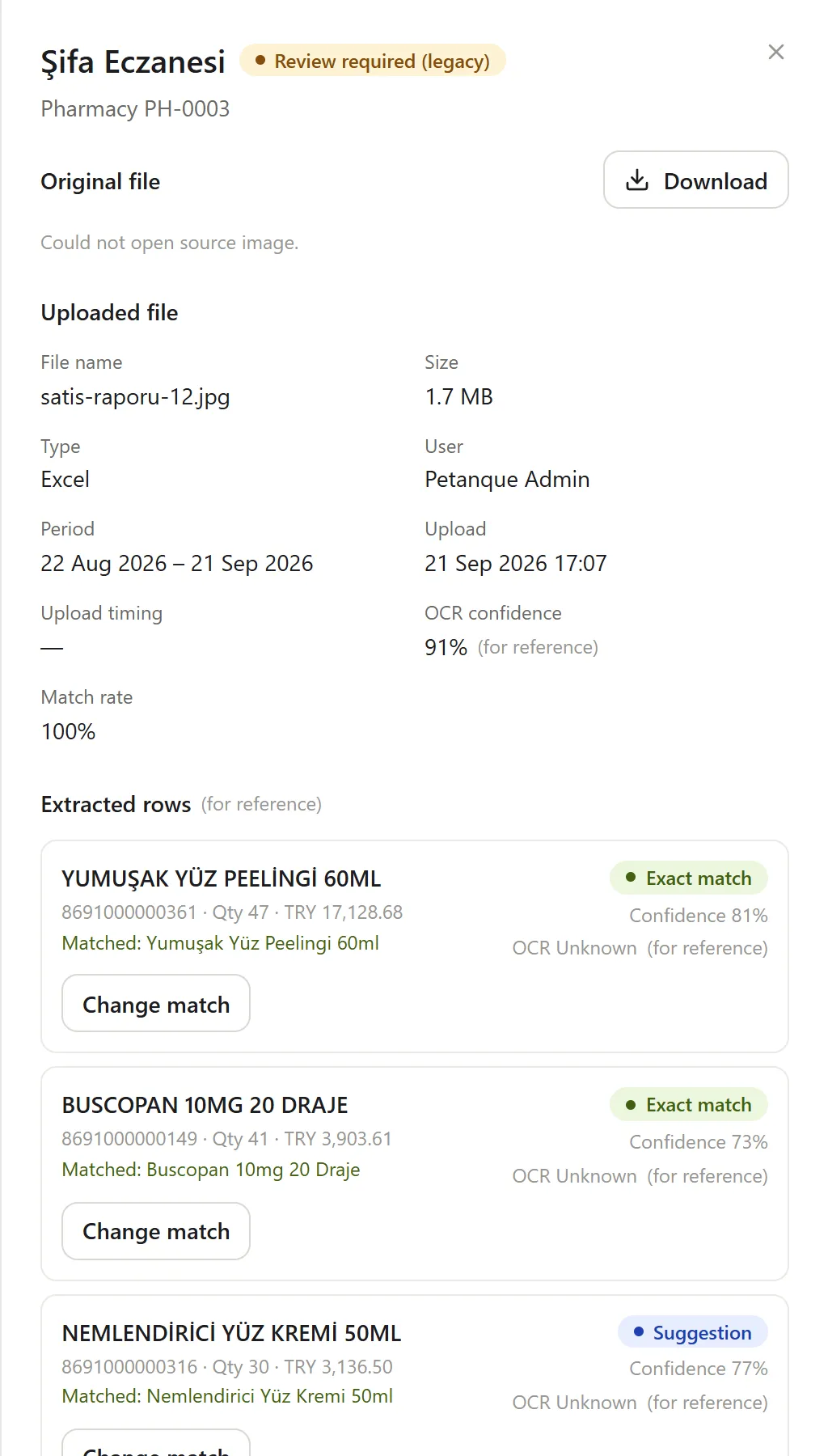
Report ingestion
Receipt photos are read by Google Gemini, spreadsheets are parsed directly. Lines match to your catalog by barcode.
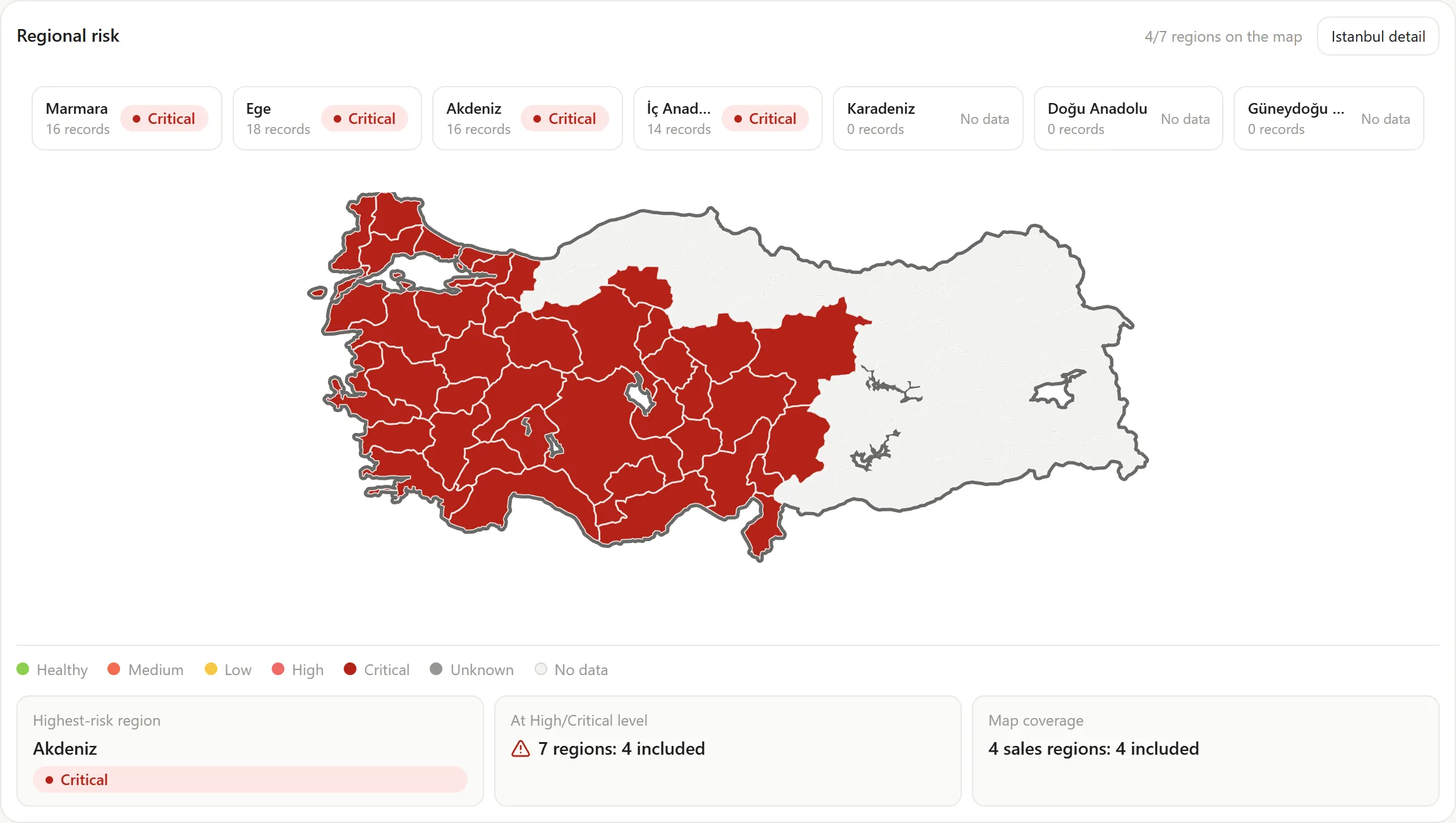
Stock and alerts
Per-account stock levels against a risk threshold. Whatever drops below it surfaces on its own.
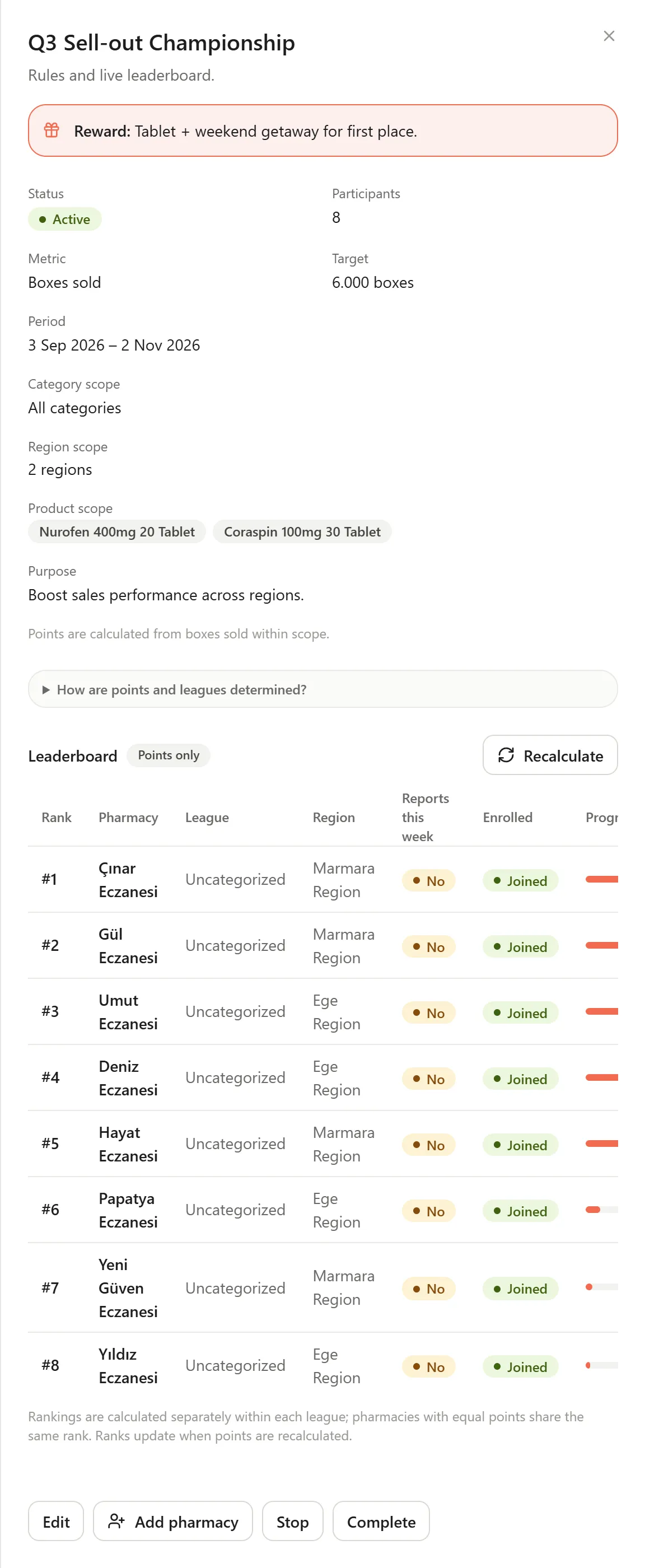
Competitions
Approved sales turn into points. Leaderboards and dashboards read the same numbers.
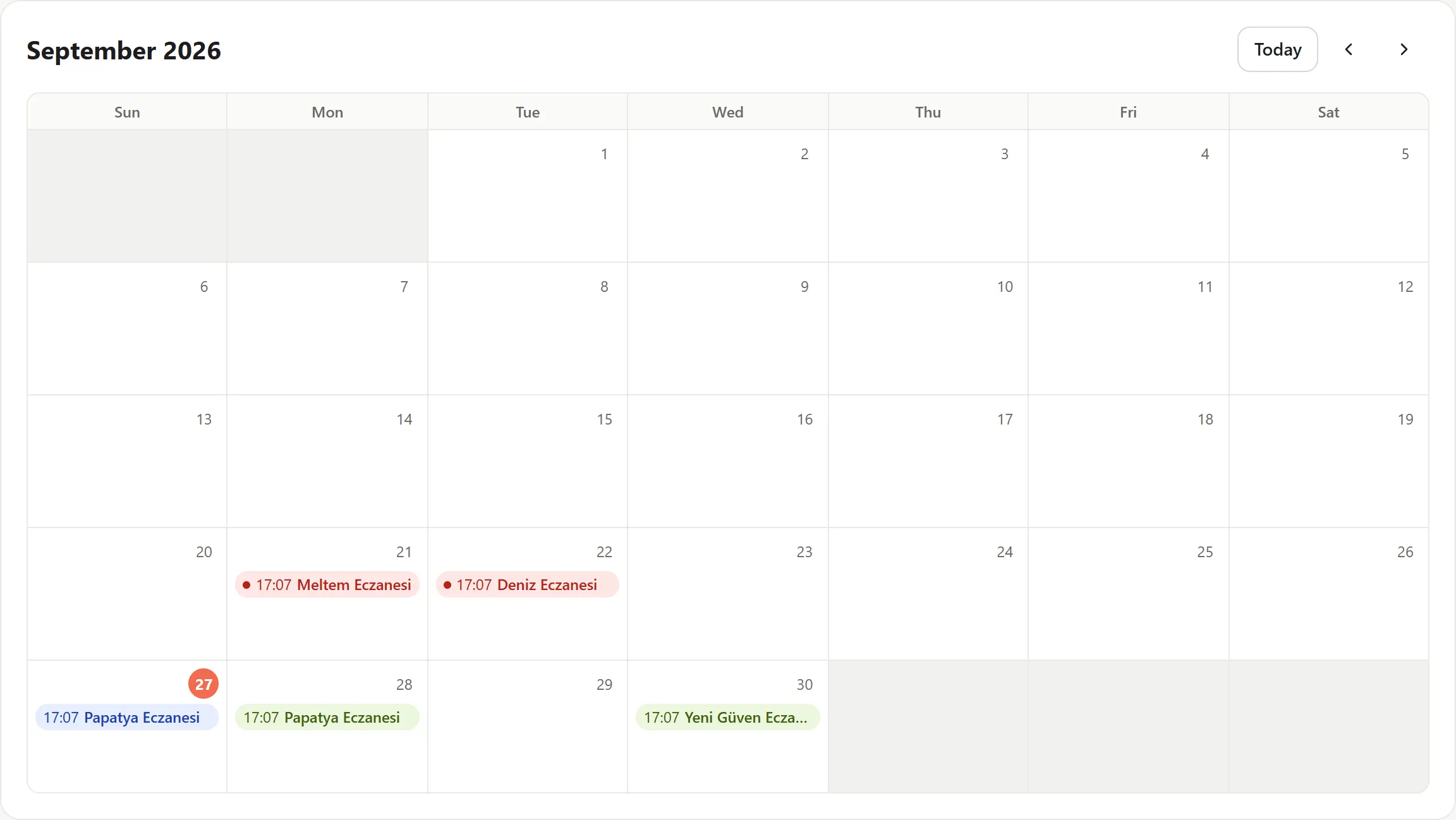
Field visits
Planned visits, completed visits and the accounts nobody reached, all in one list.
Every module runs on the same company data. What follows is what the product actually does, each on its own screen and against its own record.
From fragmented signals to one intelligence layer
Petanque starts by collecting and ends by learning. Every step carries its own status, so where a record is waiting is never a mystery.
- [01]
Collect
Field, dashboard, stock, order and digital-channel data land on one company record.
- [02]
Understand
Lines match to your catalog, deduplicate, and become comparable across accounts.
- [03]
Recommend
What stands out is listed with its reasoning: what changed, where, and why it matters.
- [04]
Act
Each recommendation gets an owner and becomes an action record, not a note.
- [05]
Measure
The action is measured against the period before it. Measured, not projected.
- [06]
Learn
What worked and what did not is kept, and the next round of recommendations is ranked accordingly.
Three products,
one decision layer
Petanque Mobile
Capture the field.
The field team’s daily surface: report upload, visit flow, low-stock visibility, competitions and notifications. With no signal, an upload queues on the device and finishes itself later.
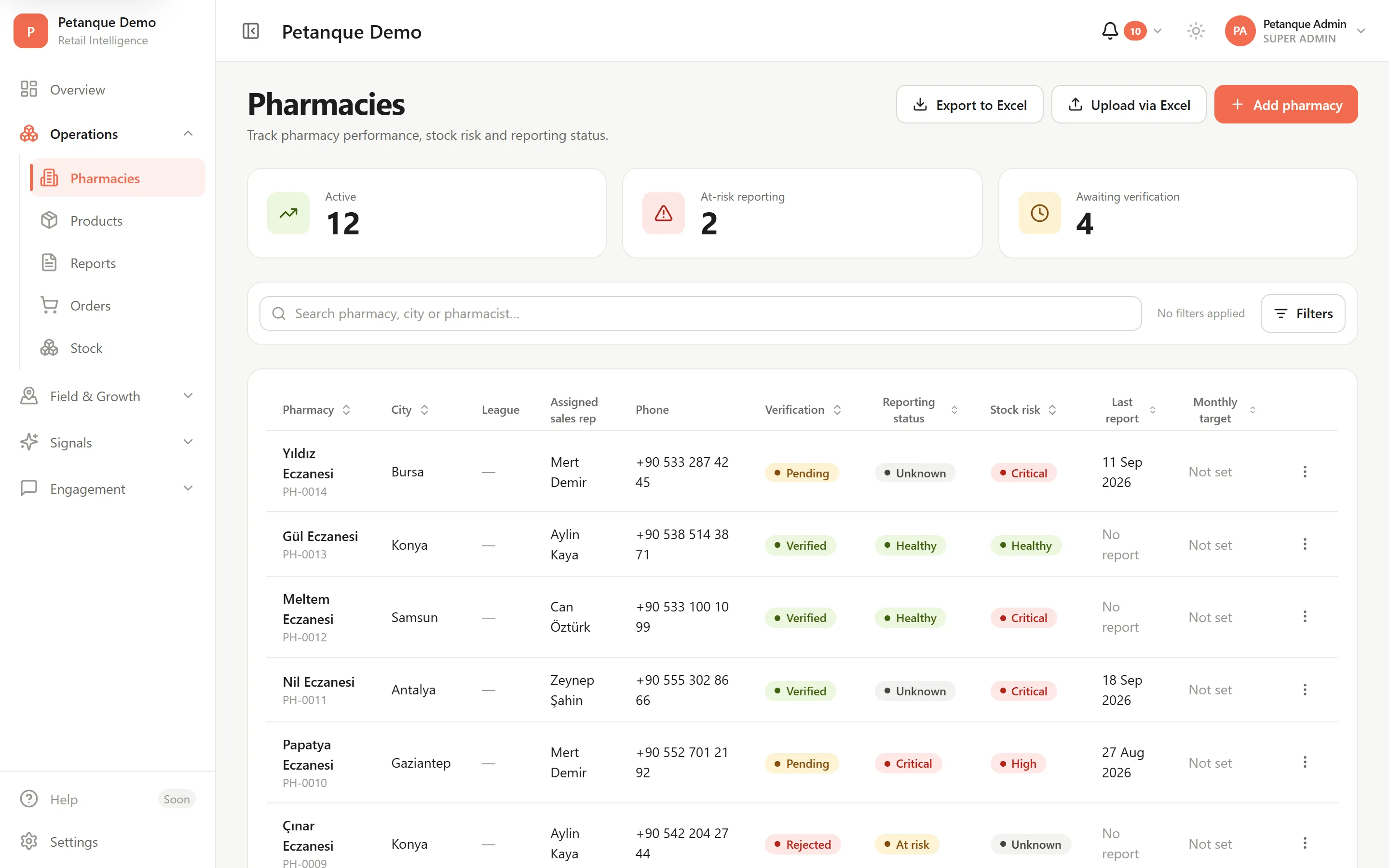
Petanque ERP
Control the operation.
The command centre: accounts, products, orders, stock, users, field visits, reports and competitions, managed from one console.
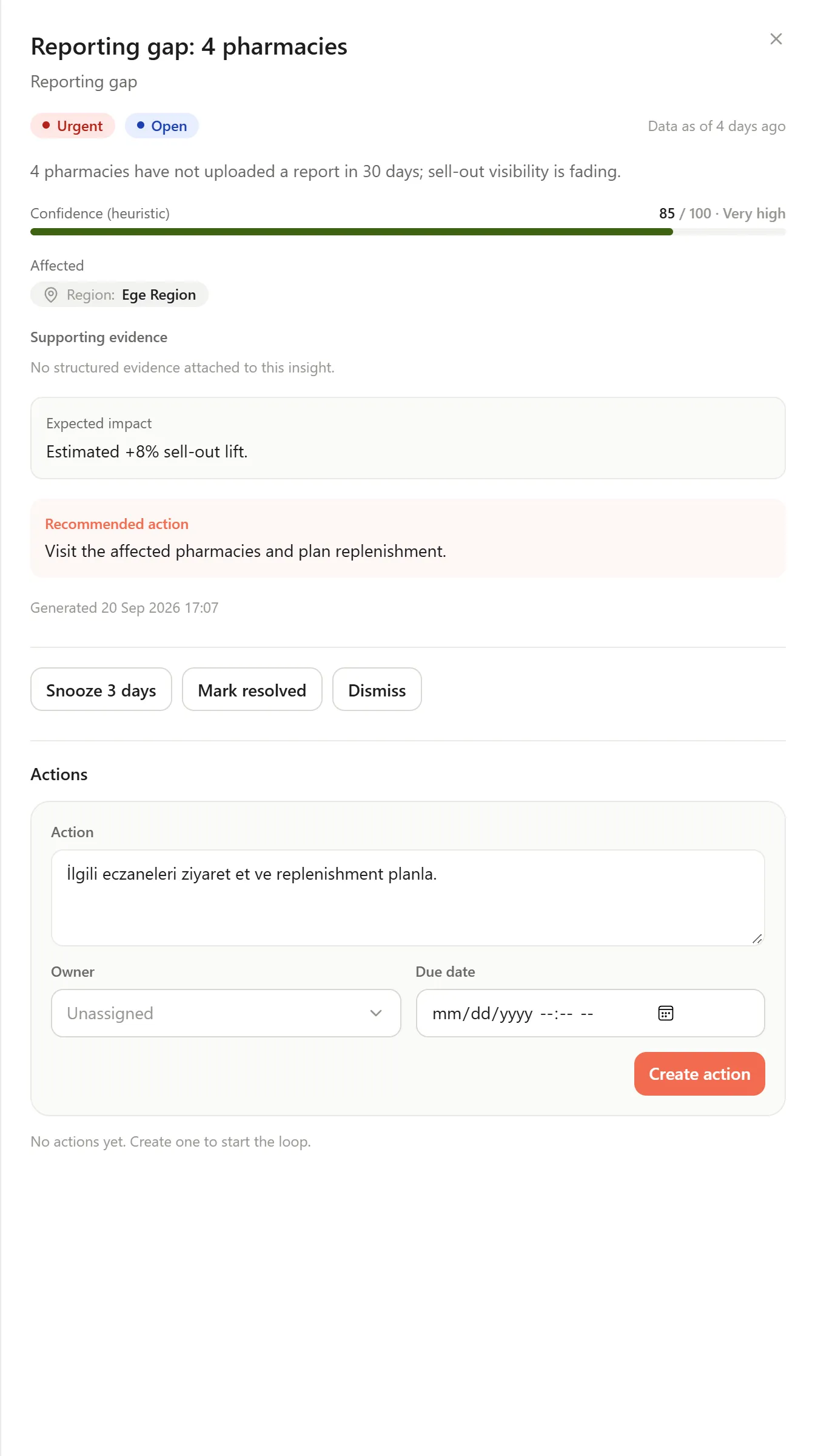
Petanque Insight
Understand. Decide. Act.
Reads field and operational data together, lists what stands out with its reasoning, assigns it an owner, and measures what the action was worth.
All three run on the same company data, so nothing has to be stitched together afterwards. Access follows the role, and everyone sees only their own ground.
Don't just see what happened. Know what to do next.
Traditional reporting describes the past and stops. Petanque connects the same data to the next move, and measures what that move returned.
Traditional reporting:Shows you last month's table.
Petanque:Tells you what changed this week and who it concerns.
Traditional reporting:Leaves the interpretation to you.
Petanque:Lists the situation with its reasoning: what changed, where, and why.
Traditional reporting:Ends at the report.
Petanque:Becomes an action record with an owner against it.
Traditional reporting:Nobody measures the impact.
Petanque:Before and after are compared, and the outcome is kept.
Running end to end in the pharmacy channel
Petanque is in the field today with pharma and dermocosmetics companies selling through pharmacies. What follows is not a description of a roadmap; it is the product as it runs.
Field rep
Visits the pharmacy, uploads the report from a phone, fixes the unmatched lines in their own territory, and closes out the weekly visit plan.
Field manager
Sees upload rates by territory and by rep, approves incoming reports, and runs the competition and the visit plans.
Pharmacy
Sees its own sales, its stock and its standing in the competition, and opens a correction request against a report that came through wrong.
From a receipt photo to line-level data
Photos, PDFs and spreadsheets land in one queue. Lines match to the catalog by barcode and product name, and anything short of certain stays flagged for review.
One company’s data stays its own
Each company runs in its own tenant. Every query is constrained by company identity at the database layer, so one company’s query cannot reach another’s rows.
Data handling built for KVKK
System logs keep identity and status, never report contents or personal data. SMS goes only to pharmacies with a consent record on file.
iyzico and Yurtiçi Kargo
Web orders are paid through iyzico, and the result is always confirmed by asking iyzico rather than trusting the callback. Approved orders get a carrier record from the console.
- Report ingestion
- Product catalog
- Pharmacies
- Stock and alerts
- Orders
- Invoices
- Payments
- Shipping
- Competitions
- Field visits
- SMS campaigns
- Notifications
- Insights
- Dashboards
- Sold products
- Users and roles
Frequently asked
What happens if the team sends a photo instead of a spreadsheet?
Both land in the same queue. Lines in a photo are read by Google Gemini, spreadsheets are parsed directly. Either way the result arrives on the same screen.
What does the field team do somewhere with no signal?
The upload queues on the device and completes itself once a connection returns. Nobody has to go back and try again.
How do we control who can see what?
Access follows the role. A rep sees their territory, a manager sees the whole territory, finance sees the company; an account reaches only its own record.
Can we bring our existing product and account lists across?
Yes. Setup imports the product catalog and account list in bulk from a template and matches the barcodes. After that they can be edited individually from the console.
Can we run the console and the app under our own brand?
Yes. Both the console and the mobile app can be branded per company; the same product is already live today under a second brand.
Turn retail data into action.
Let us walk through a demo built on your own product and account lists, and see how the flow would run in your company.